
Address
251 Little Falls Drive, Wilmington, DE 19808, United States


Ever feel overwhelmed by research or stuck drafting content from scratch? Gemini AI by Google might be the breakthrough you’ve been waiting for. With its advanced capabilities, this tool transforms how we collect information and build ideas into structured writing. But how exactly does it help? Let’s dive into the smart, time-saving world of Gemini and see if it lives up to the hype.
Table of Contents
What is Gemini AI and why does it matter?
Gemini AI is Google’s next-generation artificial intelligence model, designed to assist users in generating, analyzing, and organizing content with remarkable precision. Unlike typical AI tools, Gemini is built on a multimodal foundation, meaning it can process and understand text, images, code, and audio together. For anyone involved in research, content creation, or drafting, this means having a digital assistant that understands context, nuance, and purpose, all in one platform.
What makes Gemini particularly significant is its tight integration with the Google ecosystem, making it a seamless tool for those already working in Docs, Gmail, or Search. Whether you’re pulling together a literature review or organizing notes for a blog post, Gemini AI brings high-tech muscle to your workflow.
The evolution of AI in research: Where Gemini stands
Artificial intelligence in research isn’t new, tools like language models and search algorithms have been part of the process for years. But Gemini AI marks a new chapter. Earlier models often lacked contextual understanding, producing generic or inaccurate summaries. Gemini changes that with its multimodal reasoning and deep learning capabilities.
Where traditional AI tools simply spit out data, Gemini understands it. It evaluates the tone, intent, and even emotional weight of your writing. This leap puts it ahead of many workflow with AI planning and automation tools currently available.
Key features of Gemini AI that enhance research workflows
Real-time data analysis and summarization
Gemini can process large datasets and articles instantly, providing summaries that highlight core insights without losing meaning. This feature is a huge time-saver for researchers and writers dealing with volumes of information.
Context-aware drafting assistance
While drafting, Gemini doesn’t just autocomplete sentences, it understands the direction of your argument or content. It suggests ideas that fit naturally, allowing for fluid and intelligent writing support that rivals human collaboration.
Multimodal capabilities for richer content
Need to blend text, charts, or visuals into your research? Gemini’s multimodal intelligence allows it to suggest relevant images, interpret diagrams, and even describe visual content. This transforms how you present complex information.
How Gemini AI helps researchers draft faster and smarter
Drafting isn’t just about putting words on a page; it’s about clarity, persuasion, and flow. Gemini accelerates this by offering structural guidance, idea expansion, and instant rephrasing. Instead of staring at a blank page, users get a springboard for compelling content, especially useful in deadline-driven environments.
For digital professionals, combining Gemini with the best AI tools for digital marketing results in a productivity ecosystem that covers research, drafting, optimization, and publishing.
Common challenges Gemini AI by Google helps overcome
Writers and researchers often face similar hurdles: information overload, writer’s block, and inconsistent tone. Gemini offers built-in solutions:
- Overload: Quickly digest multiple sources into key takeaways.
- Writer’s block: Prompt-based idea generation and outline support.
- Inconsistency: Context-aware suggestions for tone, clarity, and cohesion.
This reduces revision cycles and boosts the quality of first drafts, a major win for teams and solo creators alike.
Real-world examples: Gemini AI in action
Academic writing and literature reviews
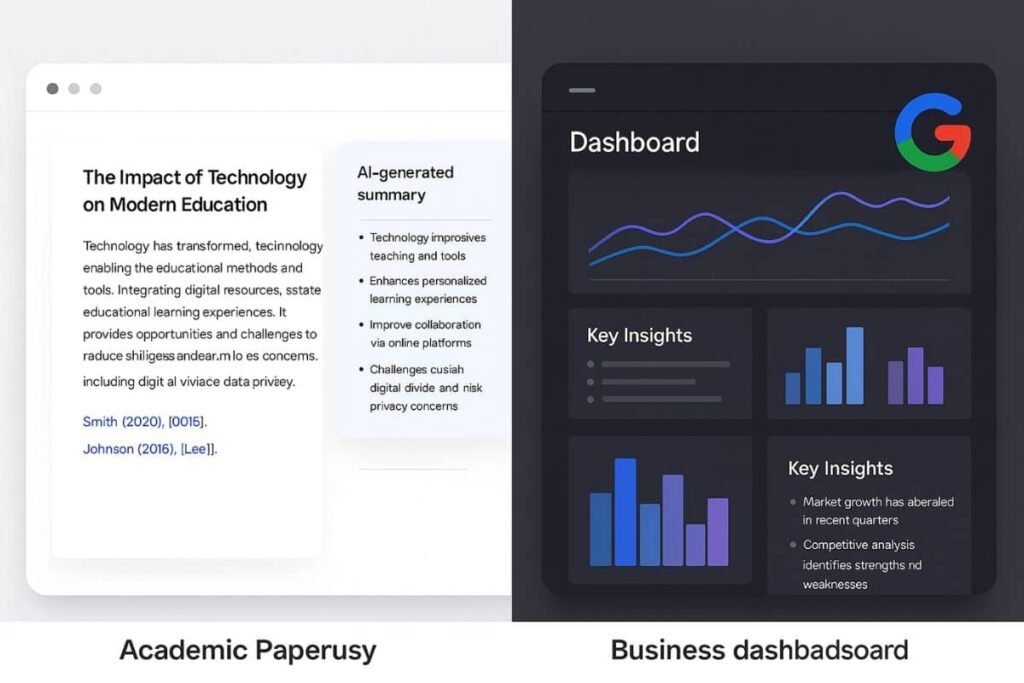
Graduate students can input entire academic papers into Gemini, which then extracts themes, compares viewpoints, and suggests citations, all while preserving academic tone and standards.
Business content and market analysis
In a business context, Gemini supports tasks like competitive analysis and product briefs. Just feed it market data, and it delivers concise reports, potential opportunities, and even pitch angles.
For an official look at Gemini AI, check out the official Gemini AI page by Google.
How to start using Gemini AI effectively
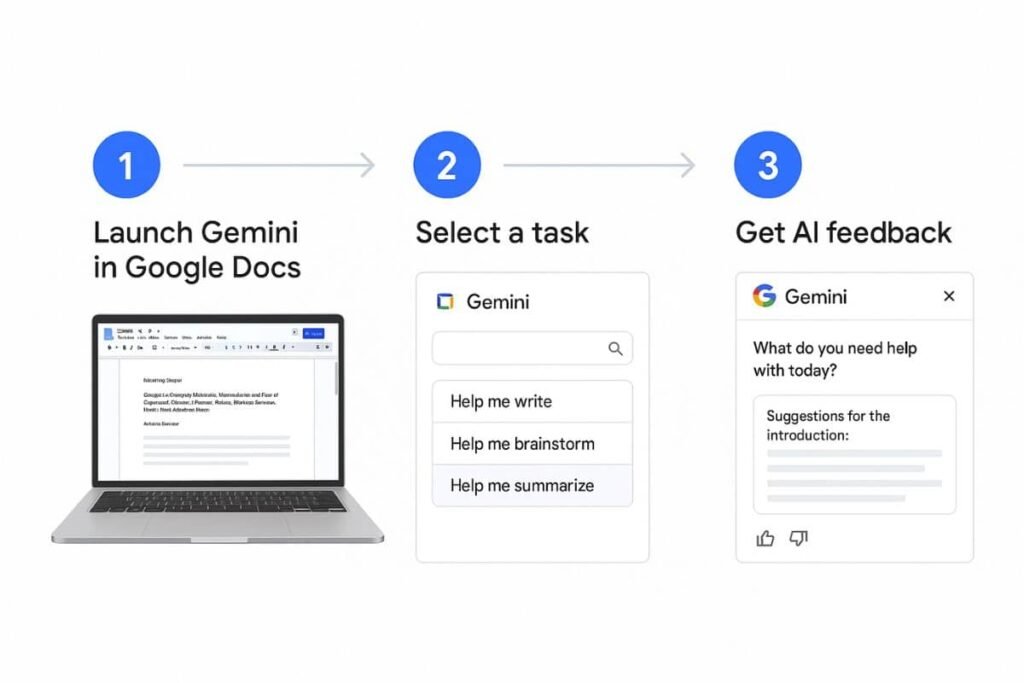
Getting started with Gemini AI is straightforward, especially for those familiar with Google products. You can access Gemini via supported platforms like Google Workspace, Chrome extensions, or through its dedicated interface. Here are a few practical tips to maximize its capabilities:
- Start with a goal: Whether you’re summarizing research or drafting an email, set a clear intention for your task. Gemini performs best when it knows what you’re aiming for.
- Use prompts wisely: Ask specific questions or give examples. Vague input yields vague output.
- Combine tools: Pair Gemini with spreadsheets, documents, or presentations to automate multi-step workflows and content integration.
With a bit of practice, Gemini becomes less of a tool and more of a creative partner in your workflow.
Ethical considerations when using AI tools for research
As with any AI-powered tool, it’s important to use Gemini responsibly. While it can assist in gathering and organizing content, it should not replace critical thinking or original analysis. Plagiarism, overreliance on auto-generated insights, or data misrepresentation are potential pitfalls if used carelessly.
Also, AI models may occasionally reflect biases present in their training data. Fact-checking and editorial judgment remain crucial when publishing or submitting research supported by AI tools. Responsible users should treat Gemini as an assistant, not as the final authority.
Final thoughts: Is Gemini AI by Google right for your workflow?
Gemini AI by Google offers a breakthrough way to streamline research and drafting. From summarizing dense materials to shaping well-structured content, its smart features can save time and boost clarity. While it’s not a magic wand, it’s undoubtedly a game-changer for students, professionals, and marketers alike.
By pairing Gemini with existing workflow with AI planning and automation tools, users can unlock a smoother, more intelligent content creation process. Whether you’re deep into academia or scaling content in a business setting, Gemini AI is worth exploring as a powerful ally in your digital toolkit.
Whether you’re a student, marketer, or content creator, Gemini AI by Google delivers serious value. It helps turn chaos into clarity and makes drafting feel almost effortless. As long as it’s used wisely, Gemini can become your go-to partner for smarter research and sharper writing. Ready to boost your workflow? Try it and experience the difference yourself.